AI audio to MIDI · Free
TONIQ: the free audio to MIDI plug-in, with Pro note editing inside the audio
Turn any recording into parts you can play.
A sample, a song, your own take: drop it in and drag out the MIDI, every note of every chord. Replay it on your sounds, change it, build on it. Free, no length limit.
Pro edits the audio itself: move one note of a chord, and the rest stays as played.
Free forever · no card · no time limit
Mac: AU, VST3, AAX · Windows: VST3, AAX · standalone · ARA 2. Pro is in the same download.
Hear the MIDI it writes.
Real recordings, and the MIDI TONIQ wrote from them. No notes fixed by hand.
Pick an example, press play, and switch between the recording and the MIDI.
Demo recordings generated with Google Flow Music.
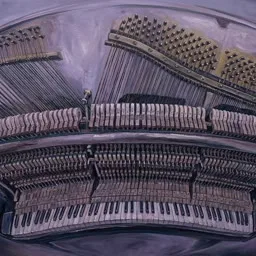
Piano
A piano piece, melody and chords → MIDI on a piano.
How it works.
-
1
FreeDrop in audio
Drag a WAV, MP3, AIFF or FLAC onto TONIQ, or put it on a track in your DAW.
-
2
FreeThe AI listens
Neural networks find every note, the key and the chords on their own, from guitar, piano, vocals, bass, drums or a full mix.
-
3
FreeDrag out the MIDI
With velocity, and the bends in Vocal mode. Drop it on a track, or save the file.
-
4
ProEdit the notes
Move, re-pitch and reshape any note inside the audio, one note of a chord at a time, and hear the recording change.
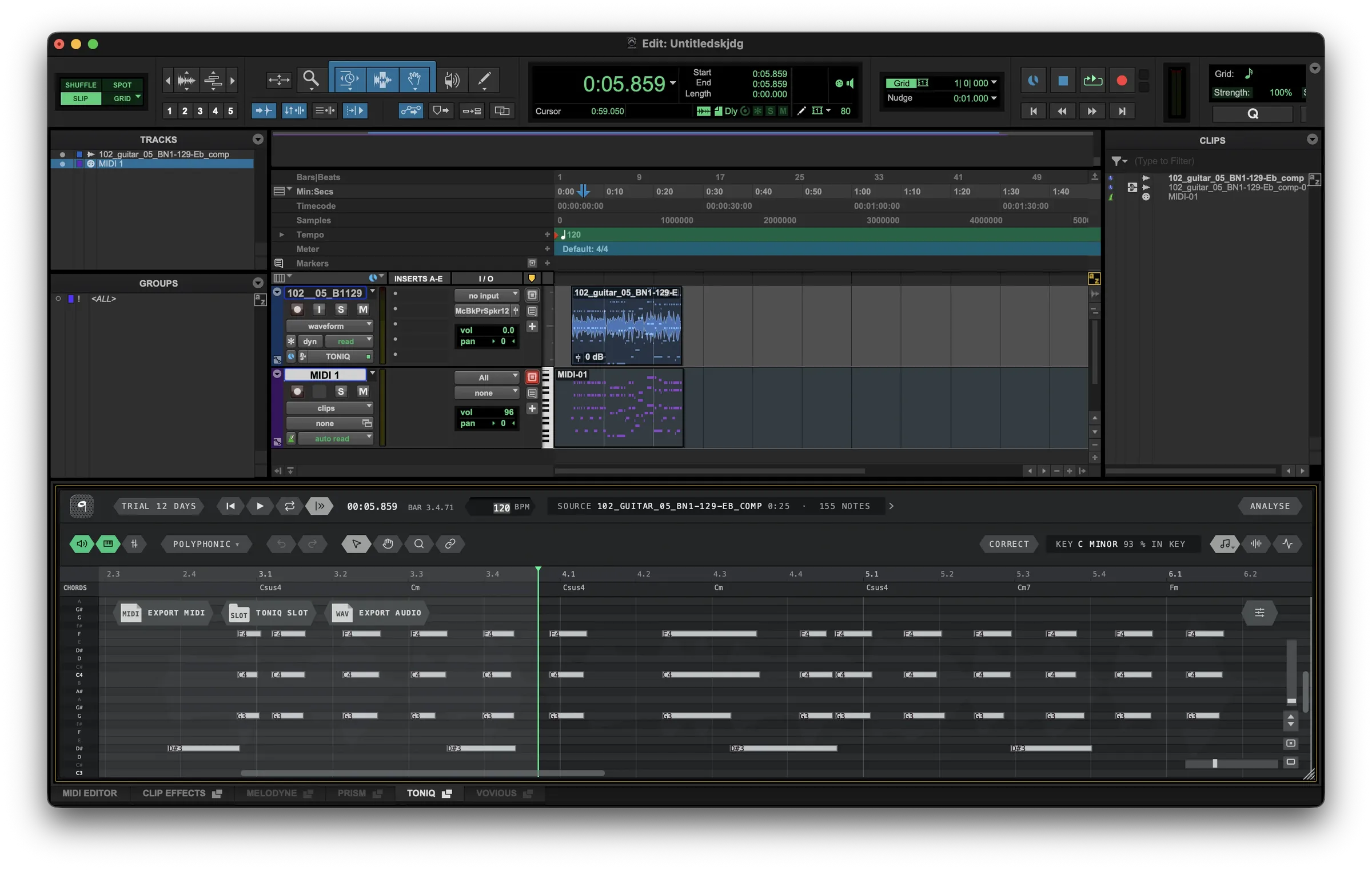
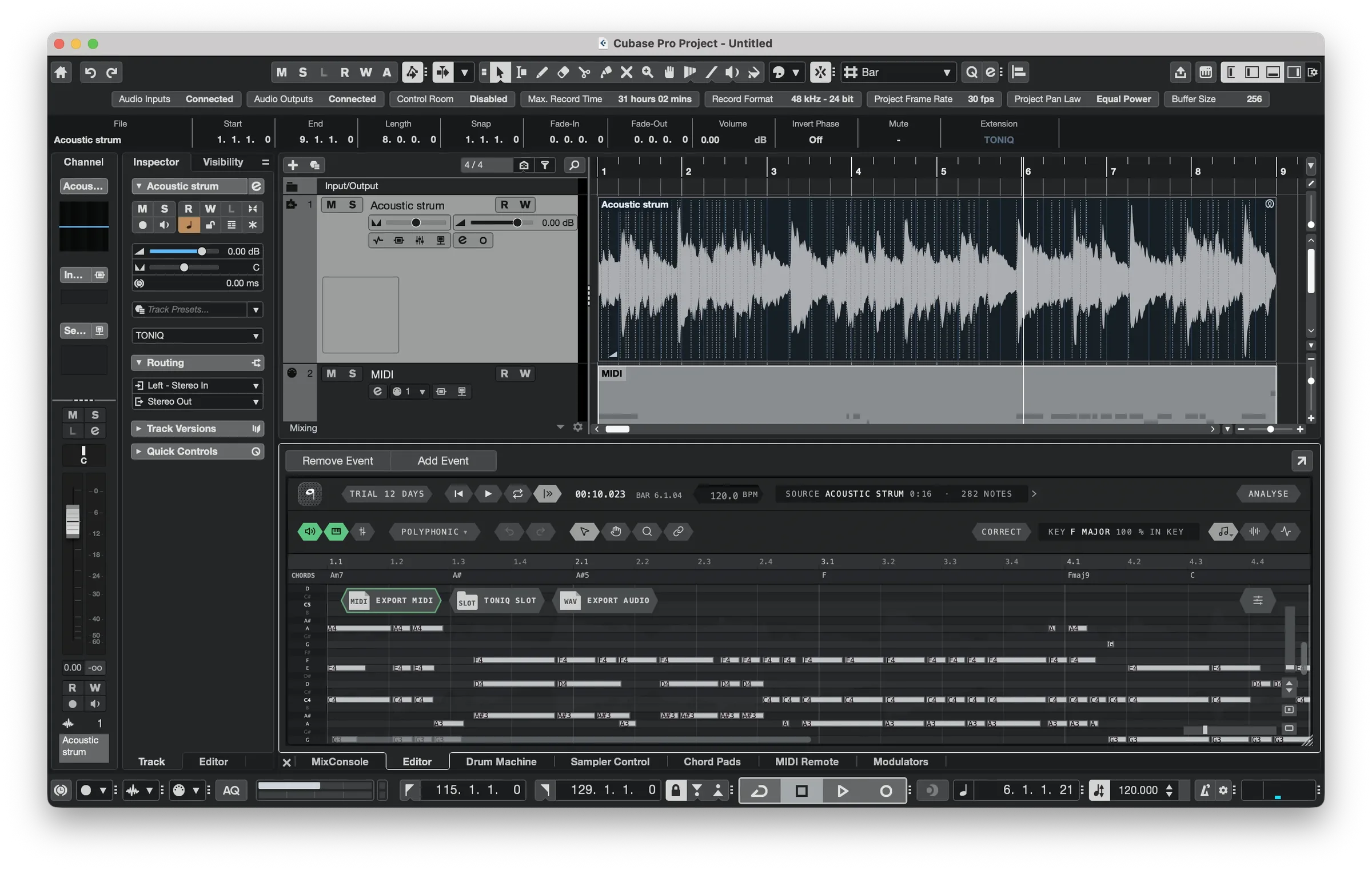
 No bouncing. With ARA 2, select a clip on your DAW's timeline
and TONIQ reads it directly. Setup for your DAW.
-
 Pro Tools AAX · ARA
-
 Cubase / Nuendo VST3 · ARA
-
 Studio One VST3 · ARA
-
 Logic Pro AU
-
 REAPER VST3 · ARA
-
 Ableton Live VST3, AU
-
 FL Studio VST3, AU
- Standalone app no DAW needed
Who it is for.
-
Producers who sample
Find the chords and the bass line in a sample, then replay them on your own sounds. The idea is yours, not a loop.
-

Songwriters and guitarists
Play the idea once into your phone or your DAW. TONIQ writes it down as MIDI before it is gone.
-

Learning a part
See every note of the solo or the voicing you are learning, in time with the recording.
-
Arranging and mixing
Double a guitar with a synth, put a bass under a piano, or replace a weak drum hit: the MIDI lines up with the take.
What it does.
Polyphonic
Every note of every chord.
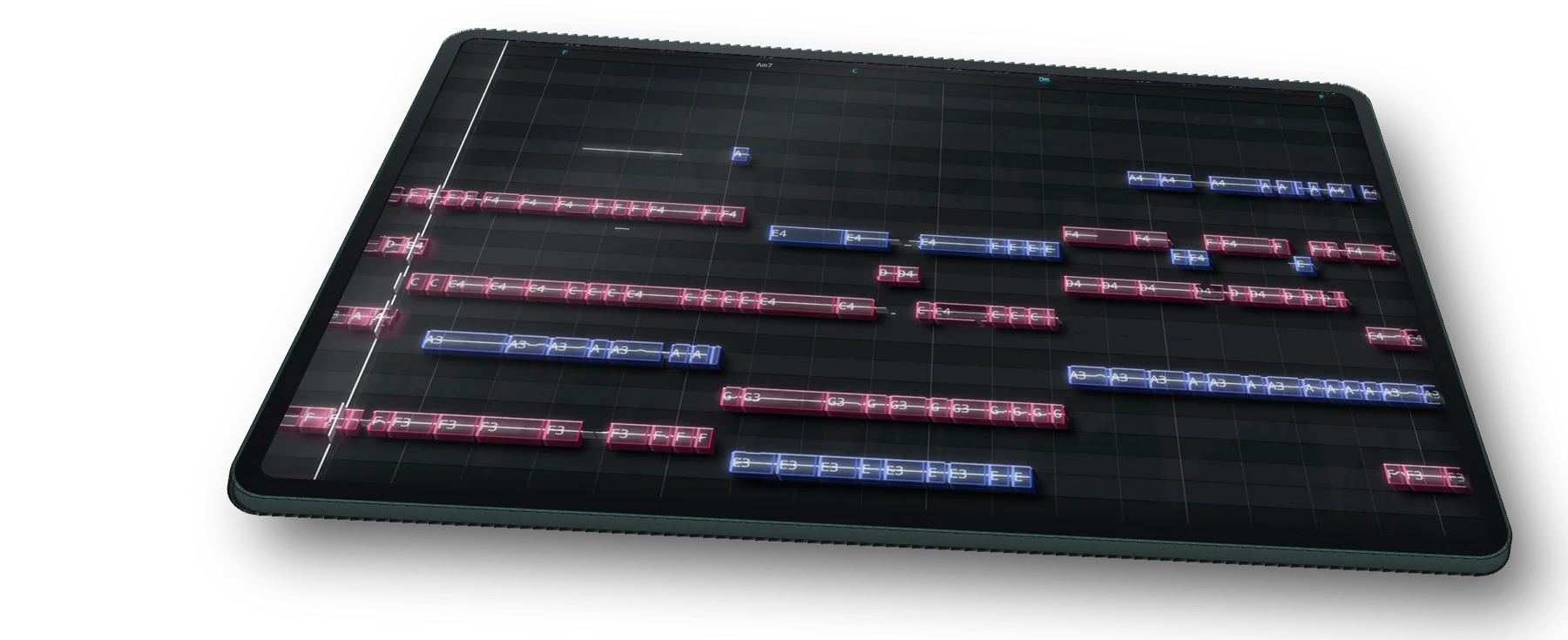
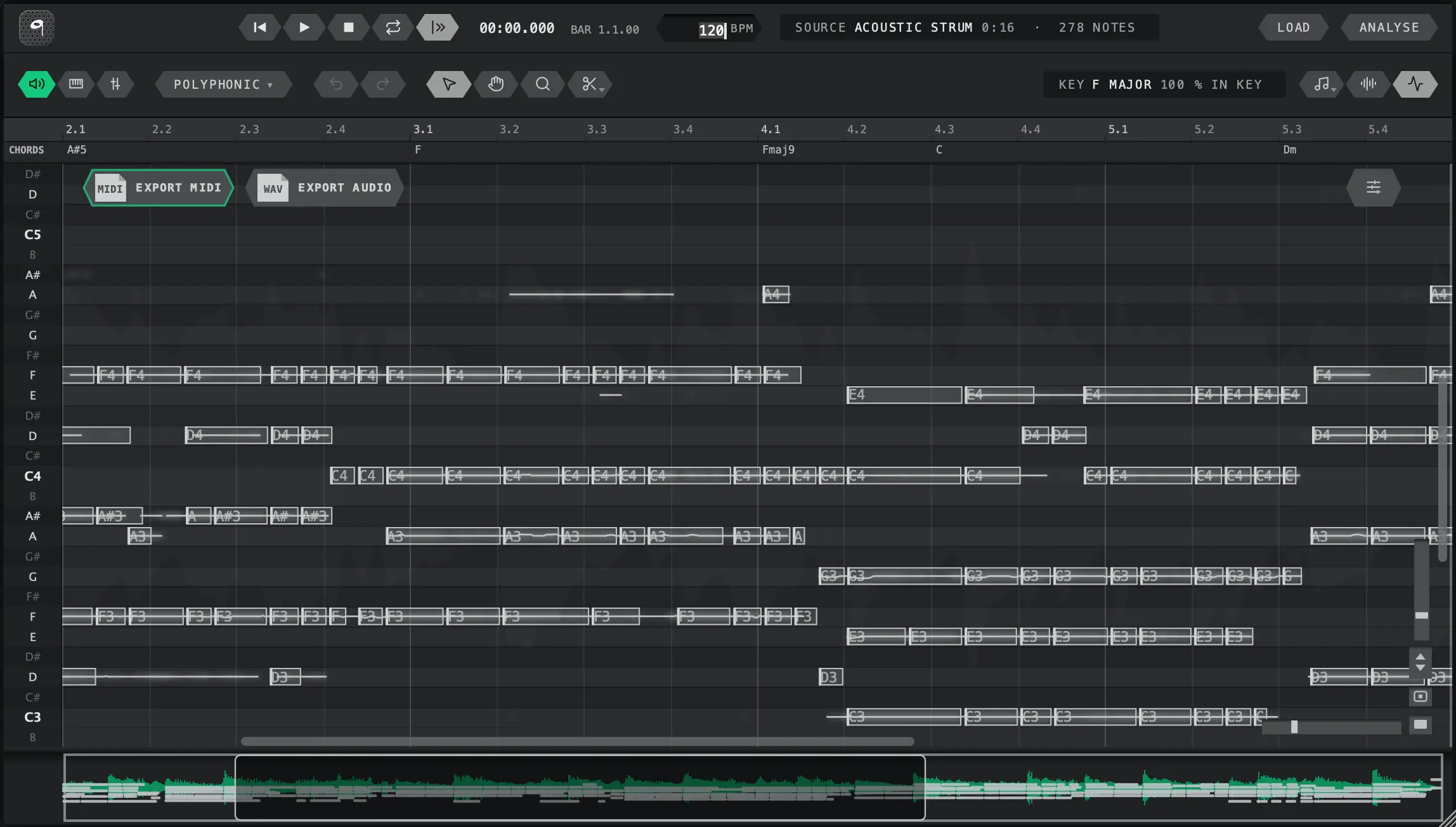
Strums, voicings, two hands on a piano: TONIQ writes every voice, not just the top line, and names the key and the chords above the notes.
Vocals and solos
The feel comes with the notes.
Velocity from how hard each note was played, pitch bends from how it was sung: a vocal keeps its bends for free, and with Pro every take does, as MPE where notes overlap.
Five ways to listen
Guitar, vocals, drums, a whole song.
Pick what you dropped in. A full mix comes back split by instrument, drums as a drum part, a vocal as a melody with its bends.
Full mix, with a mixer
A whole song, split by part.
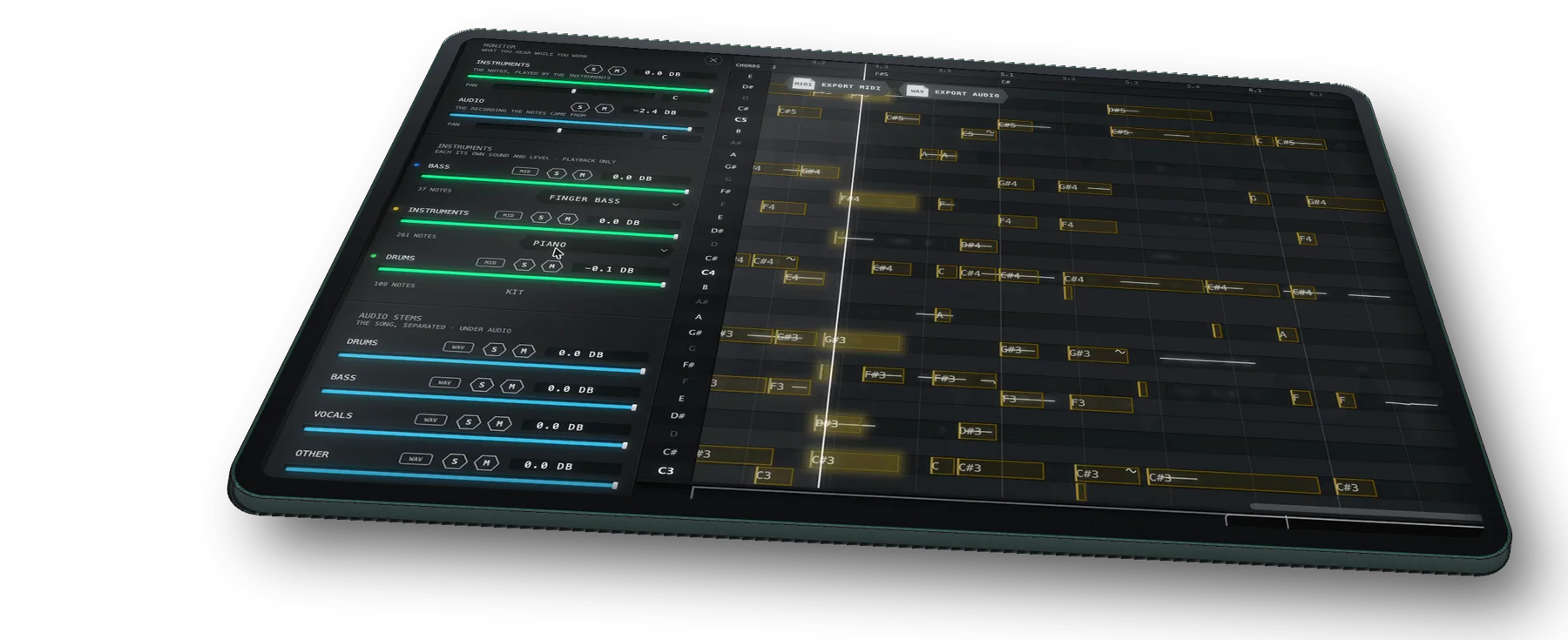
Drop in a finished mix. TONIQ pulls it apart into drums, bass, vocals and the rest, plays each on its own sound, and hands you each part as an audio stem. The mixer beside the notes sets every part’s sound and level, with mute and solo; the bass plays finger, sub / 808 or synth bass. With Pro, each part comes out as its own MIDI track too.
Song to MIDI →Drums
Eleven drums, each on its own note.
Drop in a drum loop or a drum stem and TONIQ tells eleven parts of the kit apart: kick, snare, side stick, closed, pedal and open hat, high, mid and floor tom, ride and crash. Each lands on its own MIDI note, as hard as it was hit, ready for any drum sampler. Free.
Drums to MIDI →In your DAW
Reads the clip on your timeline.
With ARA 2 in Pro Tools, Cubase, Nuendo, Studio One and REAPER, TONIQ reads the clip itself: no bouncing. Anywhere else, capture the track through it.
Setup for your DAW →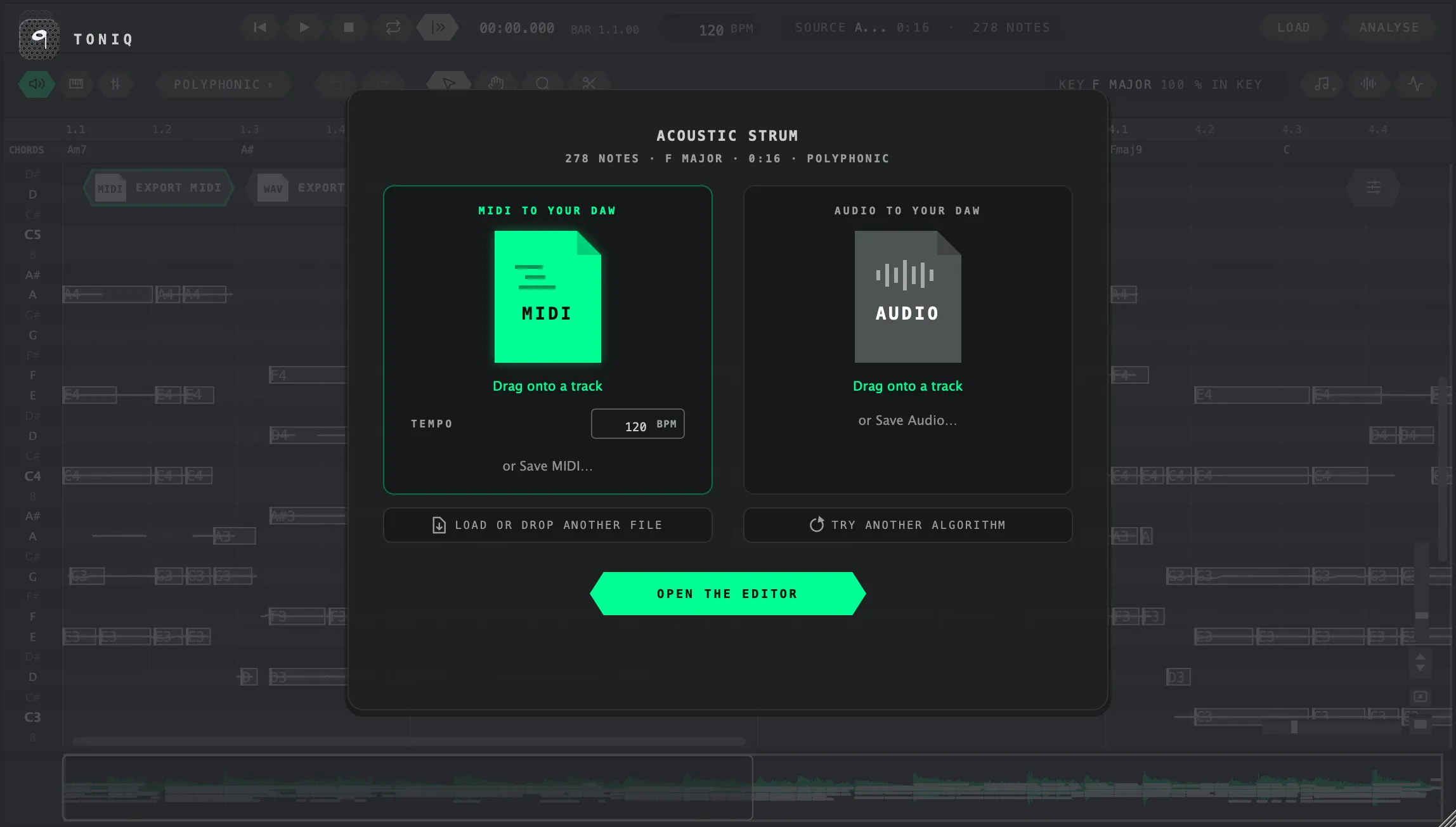
Out
Drag it onto a track.
The MIDI goes straight from TONIQ to a track, at your tempo, or saves as a file. With Pro, the edited audio goes the same way.
With Pro, edit the audio.
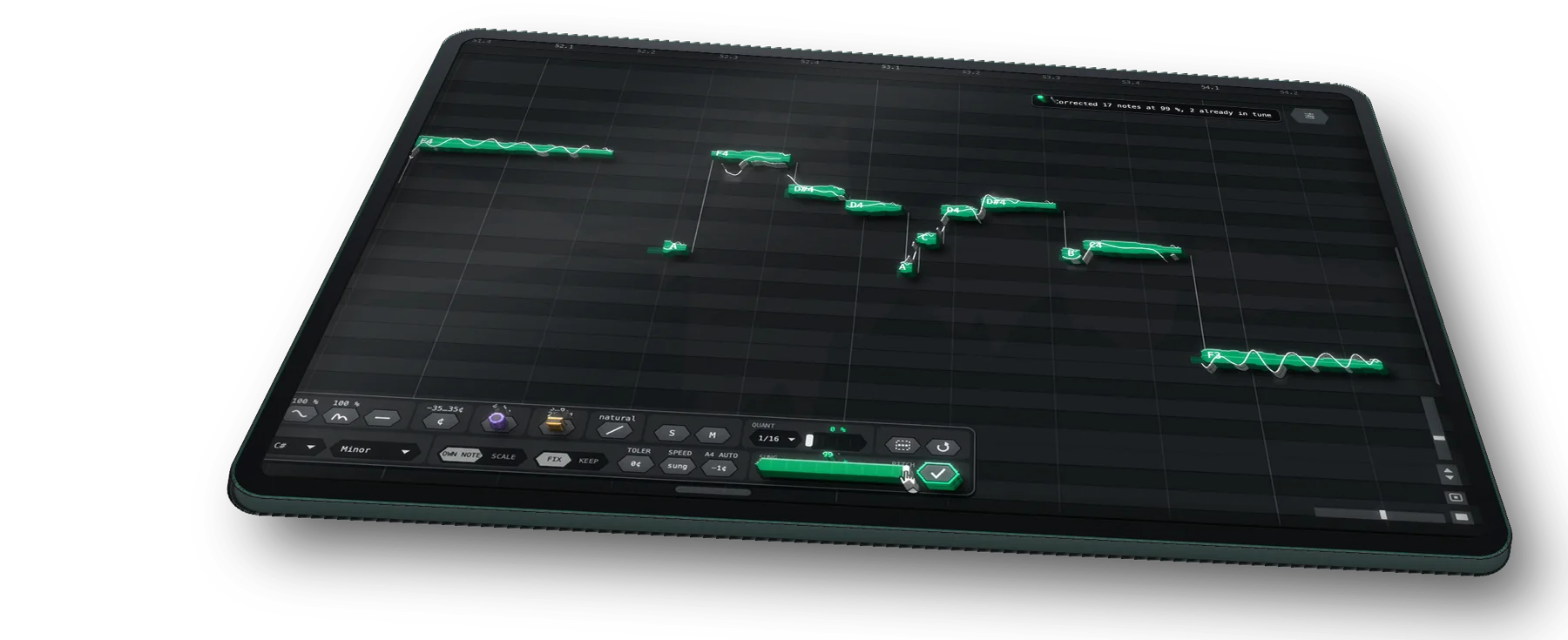
Every note in the recording is its own shape. Tune it, reshape it, and hear the take change.
Correct Pitch
In tune, as far as you want.
Choose the key and scale, or let TONIQ find them, and drag Amount from as sung to right on the note: the notes follow while you drag. Tolerance leaves the notes that are already close alone, Speed runs from the singer’s own slides to an instant snap, and the A4 reference is measured from the take.
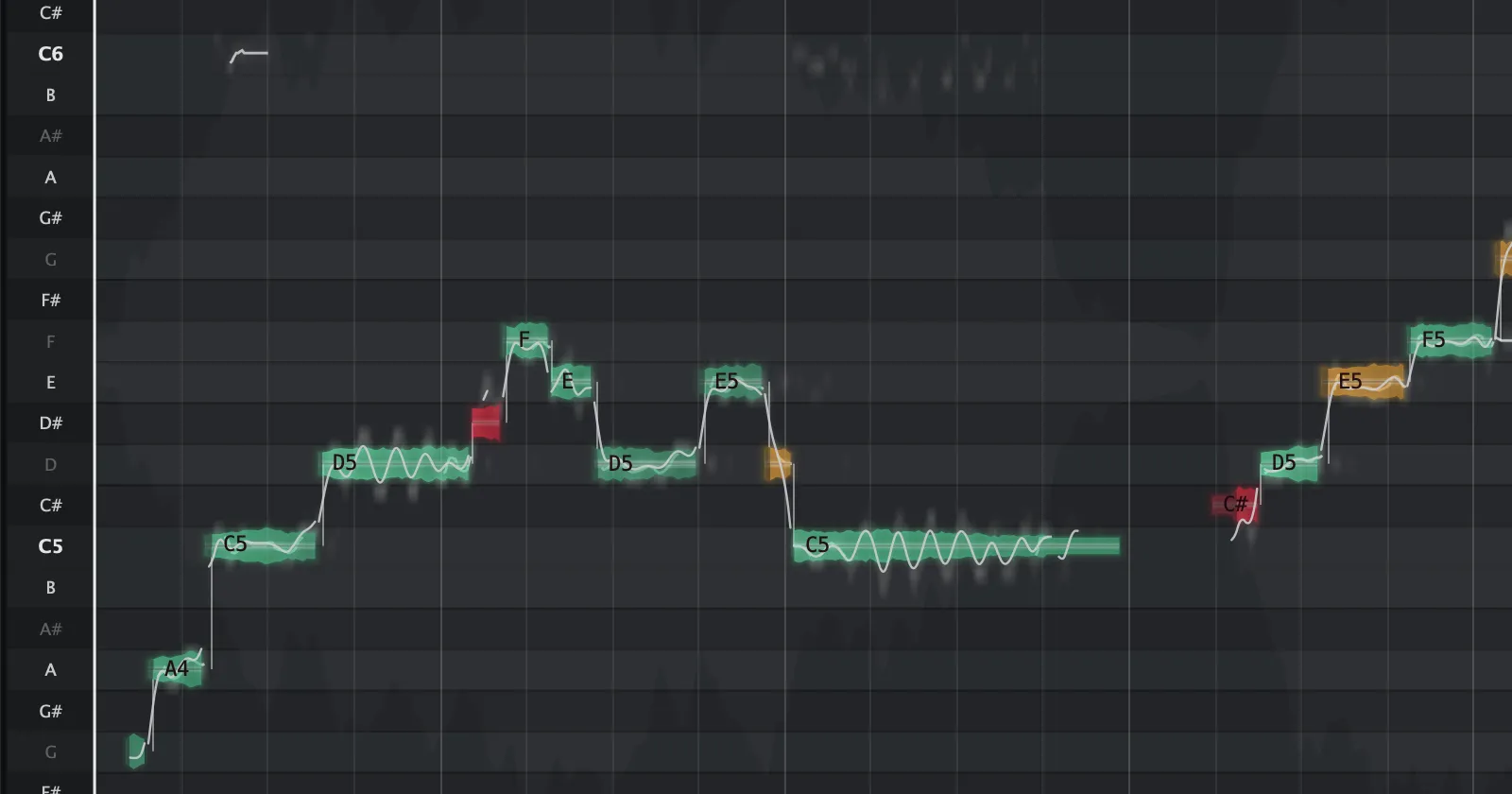
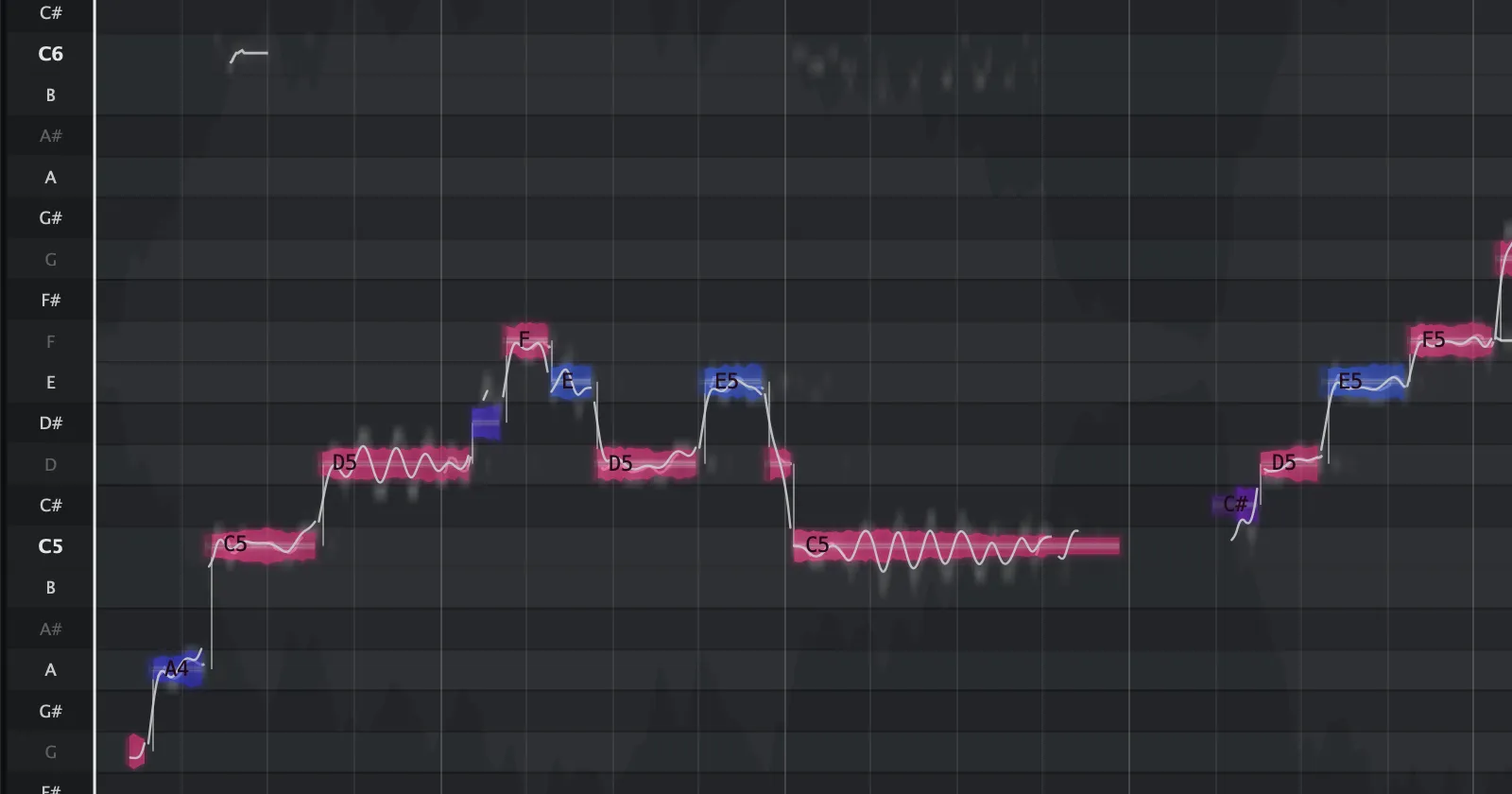
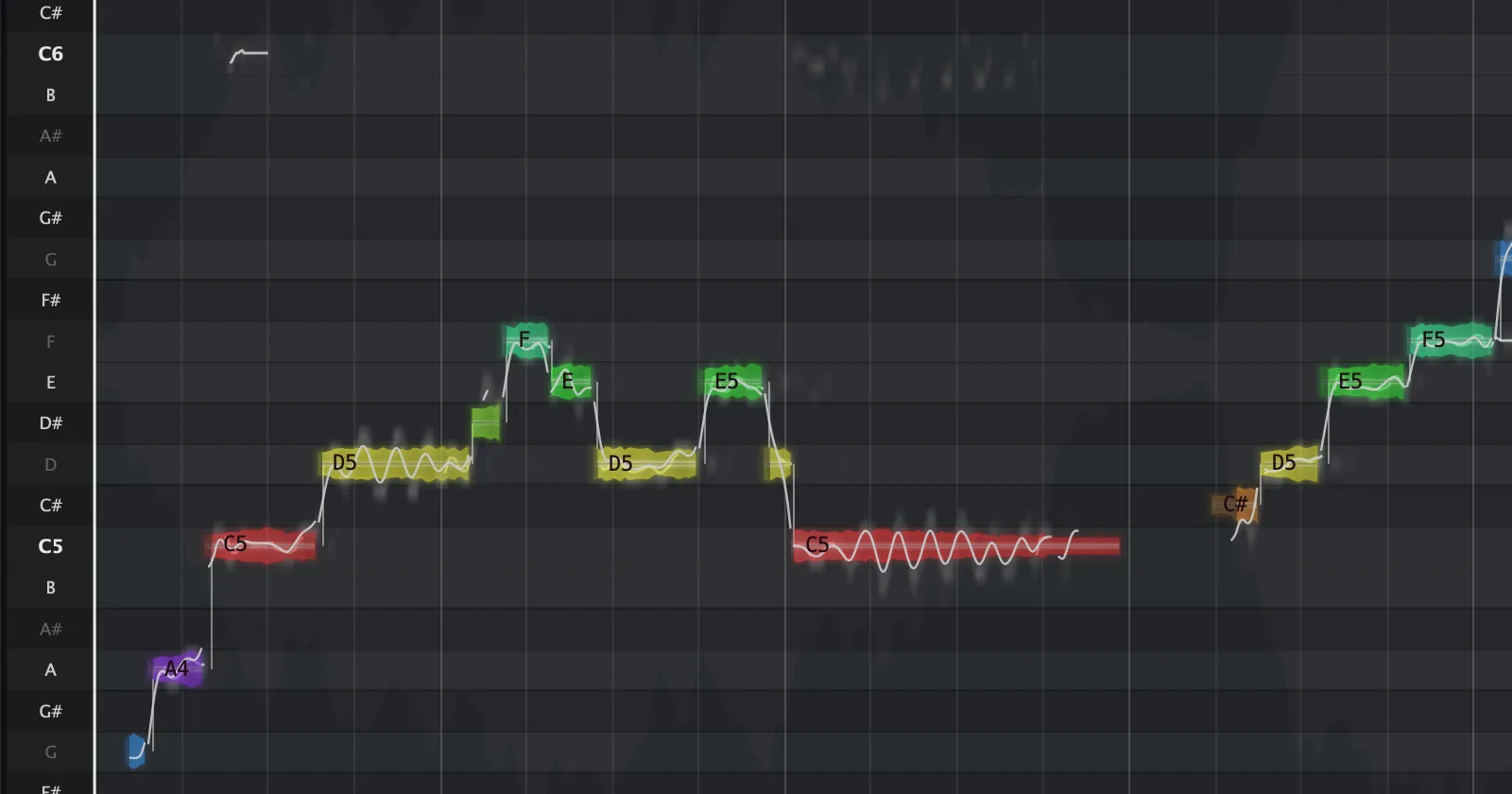
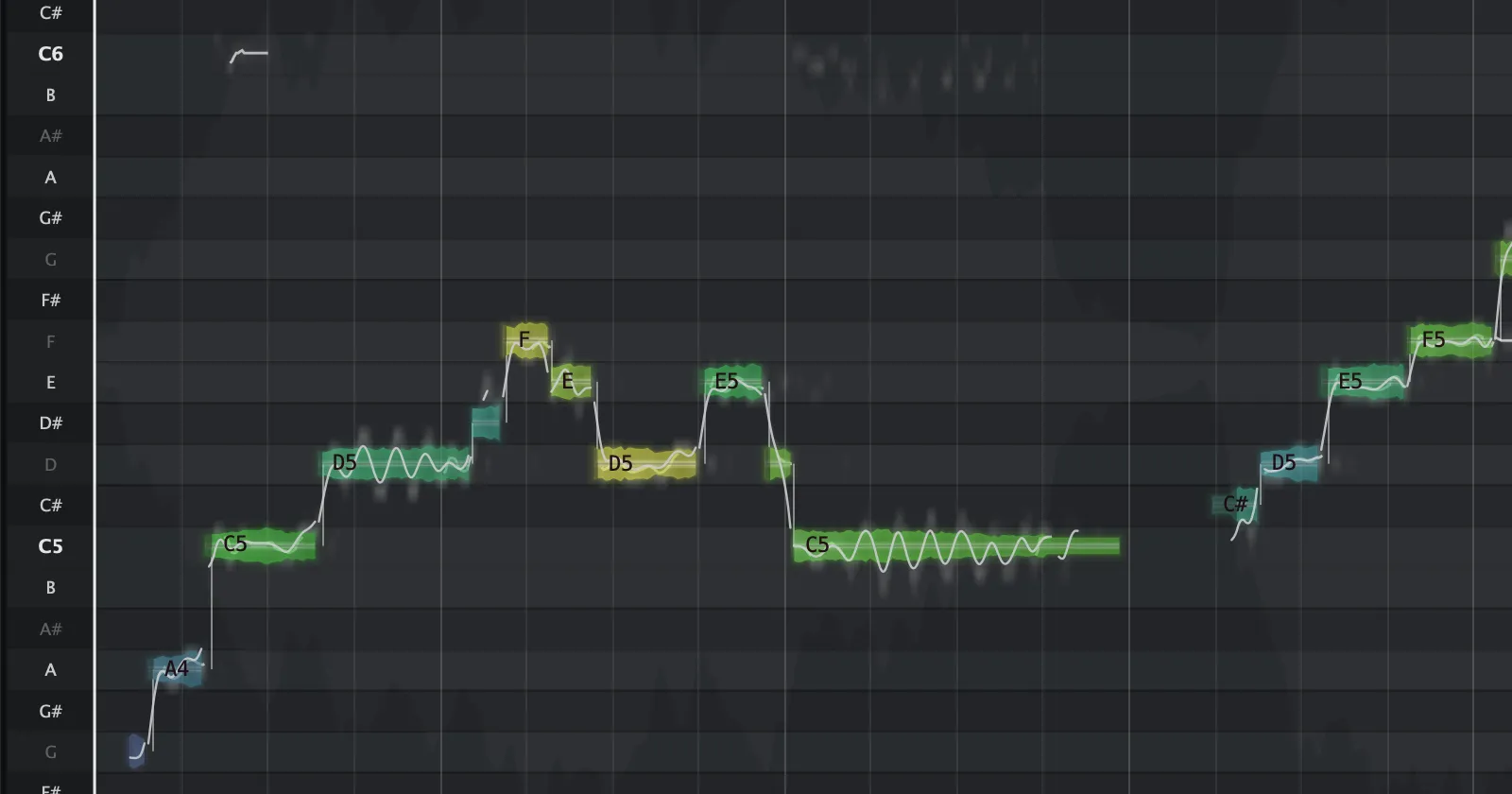
Note colours
See which notes are out.
Colour the notes by their tuning, green when a note is close to its pitch, then amber, then red, and see at a glance which ones need Correct. Or colour them by scale degree, by pitch class, or by how loud they were played.
Vibrato and drift
Shape the pitch inside a note.
Vibrato is the fast movement, drift the slow wander and the scoop in. Take either down to hold a note steady, or up to ten times as much, note by note, and straighten both in one click.
Fine pitch
Cents, not just semitones.
Nudge a note a few cents up or down to sit it exactly where you want it, one note or the whole selection at once.
Formant
Bigger, or brighter.
Move a note’s formant without moving its pitch: down sounds bigger and darker, up smaller and brighter.
Playback
See what you are hearing.
The notes under the playhead light up in their own colour, the louder ones brighter, so in a dense chord you can tell which note is which.
Many notes at once
One note, or the whole take.
Select any set of notes and change them together in one panel, then take it all back with one undo. Cut and join notes, and set how fast one note slides into the next.
Every note in the chord.
Not just the melody. Neural networks trained on real playing write each note with its own velocity and pitch bend, from guitar, piano, vocals, bass, drums and full mixes.
- of every chord
- Every note
- on recording length
- No limit
- read clips with ARA 2
- 6 DAWs
- the AI runs on your computer
- 0 uploads
Three ways to get the notes.
You can work them out by ear, try a basic converter, or use TONIQ.
| By ear | A basic converter | TONIQ | |
|---|---|---|---|
| Chords | Only as far as your ear goes | Often the melody only | Every note of every chord |
| Time | Hours a song | Minutes, plus cleaning up | Seconds to a few minutes |
| Feel | You play it in again | Notes, flat | Velocity, and bends (Vocal free, all with Pro) |
| Drums and full mixes | Hard | Rarely | Drum MIDI; a full mix split by instrument |
| In your DAW | Yes | Upload, download, import | Reads the clip on the track (ARA 2) |
| Your audio | Stays with you | Often uploaded to a server | Never leaves your computer |
| Cost | Your time | Free to a monthly fee | Free. Pro $129 once |
TONIQ Pro · $149 $129 · 14-day trial · in the same download
Change one note in a chord.
The rest stays as played.
Change a note's pitch, timing, length or level inside the recording itself, and hear the edit in your DAW. Similar editors cost about $399.
Drag the audio out. Drag the edited take from TONIQ straight onto a track, or save it as a WAV. Want the notes apart? Take every note as its own audio file too.
No card needed. After 14 days TONIQ goes back to free by itself, and you keep everything free does.
Launch price: $129 instead of $149. Once, yours to keep. Everything Pro does
Hear it on real takes.
Switch between the recording and the edit while it plays: only the moved notes change.

Acoustic guitar
Major to minor: one note per chord moved down. The rest is the original take.
Free and Pro, side by side.
Audio to MIDI is free. Shaping the MIDI and editing notes inside the audio is Pro. One download.
| One plug-in, two tiers | TONIQ Free | TONIQ Pro |
|---|---|---|
| Best for | Turning recordings into MIDI | Shaping the MIDI, and editing the notes inside the audio |
| Audio to MIDI: polyphonic, full mix, melodic, vocal, drums | ● | ● |
| Every voice of every chord, with velocity | ● | ● |
| No length limit, no watermark, commercial use | ● | ● |
| ARA 2 in Pro Tools, Cubase, Nuendo, Studio One, REAPER | ● | ● |
| The editor: every note as its own shape, with the pitch drawn through it | ● | ● |
| Play the notes on the synth: piano, strings, guitars, basses, kit and more | ● | ● |
| A full mix split into drums, bass, vocals and the rest, as audio stems | ● | ● |
| MIDI export: one file with all the notes, drums and tempo | ● | ● |
| Vibrato and bends in the MIDI, as MPE where notes overlap | Vocal mode | ● |
| Detection settings: sensitivity, minimum length, note ends | — | ● |
| Quantize: grid and strength | — | ● |
| MIDI per instrument: a full mix as separate MIDI tracks | — | ● |
| Pencil: draw in the notes the analysis missed | — | ● |
| Change a note inside the audio: pitch, timing, length, level | — | ● |
| Vibrato: flatten, keep, double. Glides in and out | — | ● |
| Split, glue, add, delete notes in the recording | — | ● |
| The edited take plays on your DAW timeline through ARA 2 | — | ● |
| Each note out as its own audio file | — | ● |
| One download. Try Pro 14 days free, no card; then it goes back to free by itself. | Download free | Buy Pro · |
Download TONIQ
One installer, every format. Open TONIQ, enter your email and the code we send, and it is yours. Pro is in the same download: try it 14 days free, no card. Then TONIQ goes back to free by itself, or Pro is $129. Version 0.7.23, built 16 Nov 2026.
Questions
Is it really free? +
Is there a free audio to MIDI plug-in that does chords? +
Which formats? +
Which DAWs does it work in? +
Does my audio leave my computer? Does it work offline? +
How many computers? +
Can I get a refund on Pro? +
What is Pro? +
Coming next
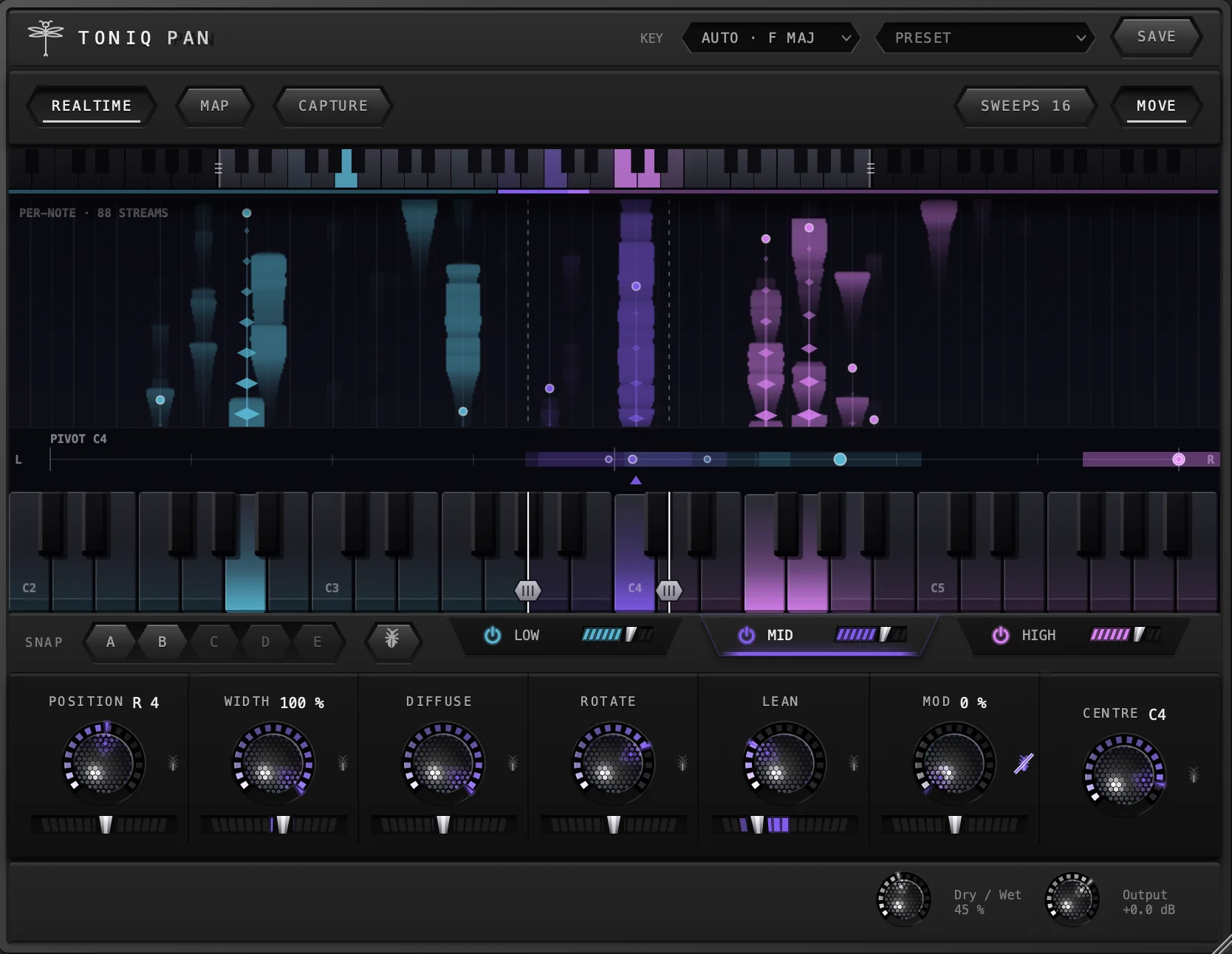
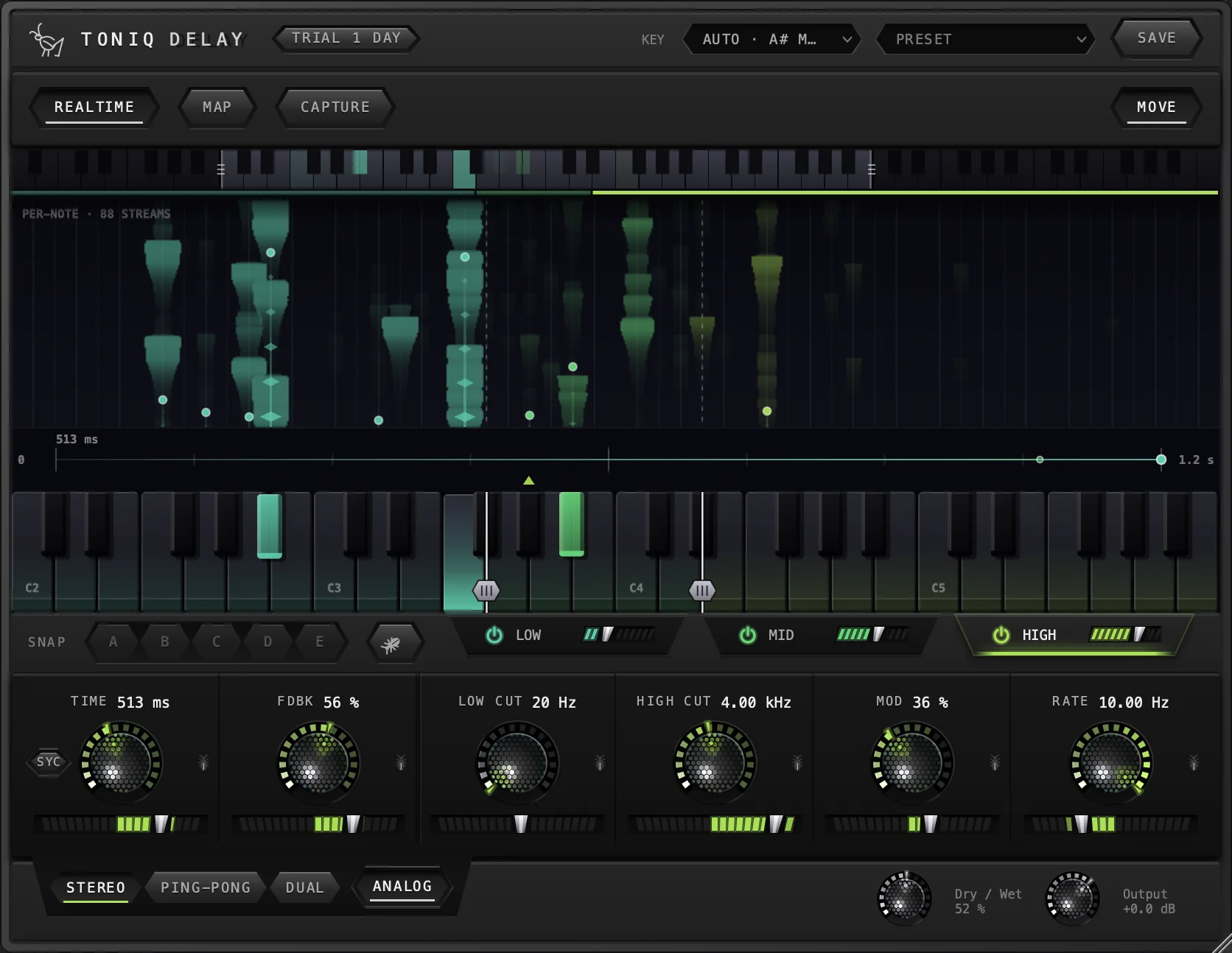
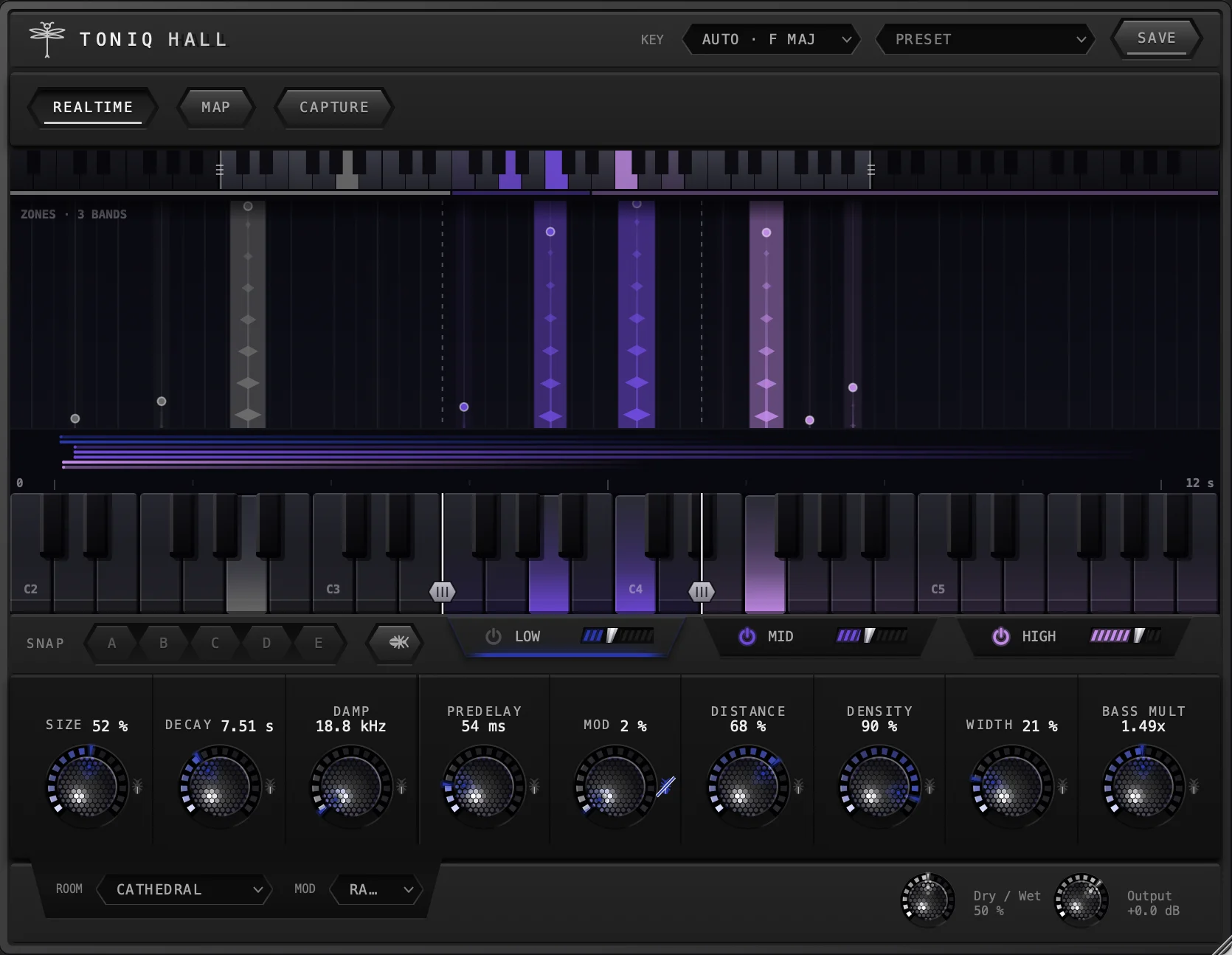
Effects that work note by note.
Reverb, delay, stereo width and drive that treat each note on its own. More about them.
 Soon
 Soon
 Soon
Hear first when the effects are out
Early access before they go on sale, and one email when each one is ready. Nothing else, and your address is never sold or shared.