
TONIQ Pro · $149 $129 · 14-day trial · in the same download
Change one note in a chord.
The rest stays as played.
Change a note's pitch, timing, length or level inside the recording itself, and hear the edit in your DAW.
Hear it first: a recording, then the same take editedNo card needed. After 14 days TONIQ goes back to free by itself, and you keep everything free does.
Launch price: $129 instead of $149. Once, yours to keep.
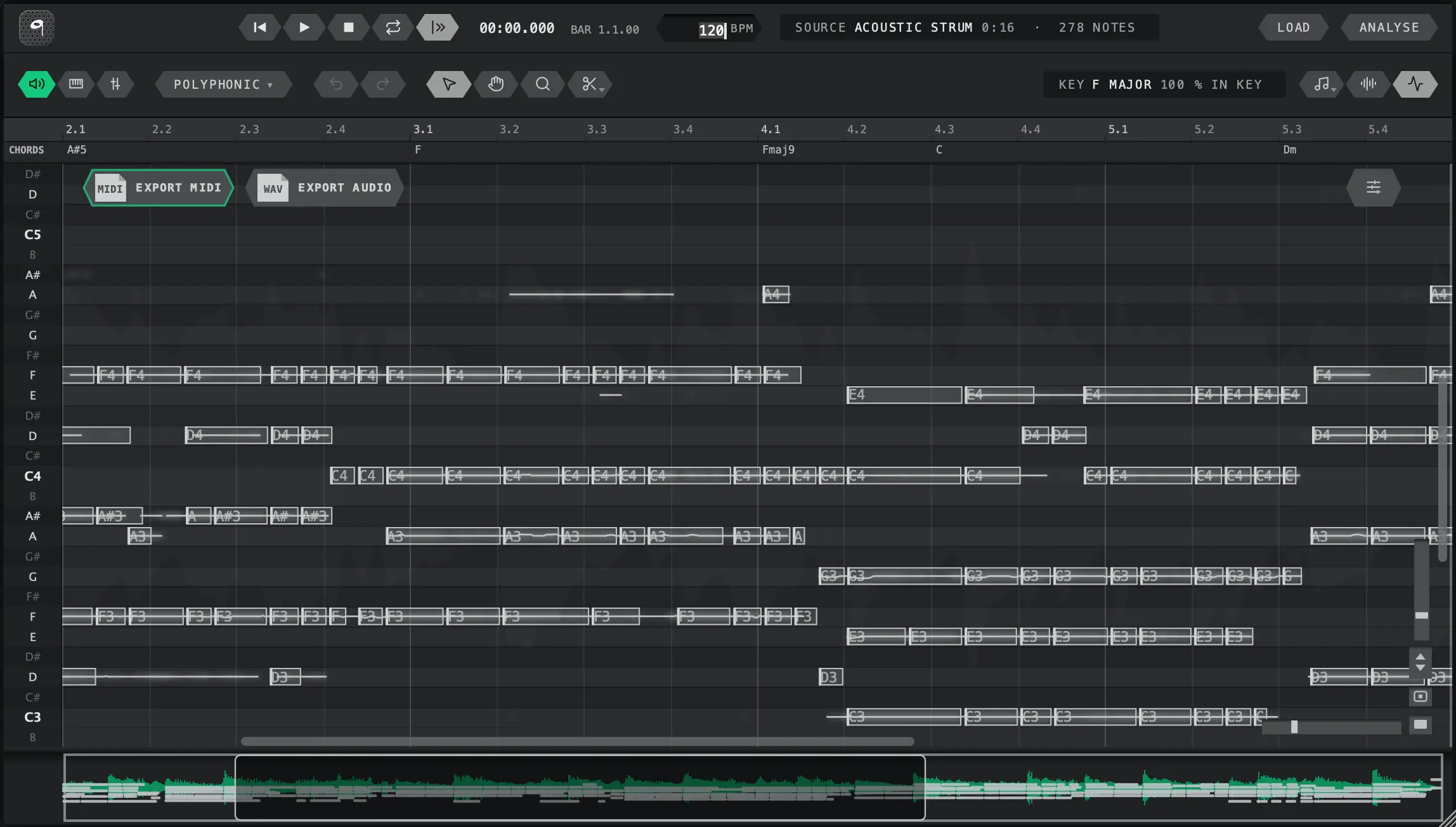
Every note is its own shape.
TONIQ separates each note from the chord, with its own overtones. Move one, and the notes around it stay as recorded.
Each note, its own shape
The pitch runs through every note as a line. Drag one and only that one moves.
The key, and the chords
TONIQ names the key and every chord as it hears them.
Back to the session
Drag the edited audio onto a track, the whole take or every note on its own, and the MIDI with it.
Tune it, shape it, hear it.
Correct Pitch
In tune, as far as you want.
Choose the key and scale, or let TONIQ find them, and drag Amount from as sung to right on the note: the notes follow while you drag. Tolerance leaves the notes that are already close alone, Speed runs from the singer’s own slides to an instant snap, and the A4 reference is measured from the take.
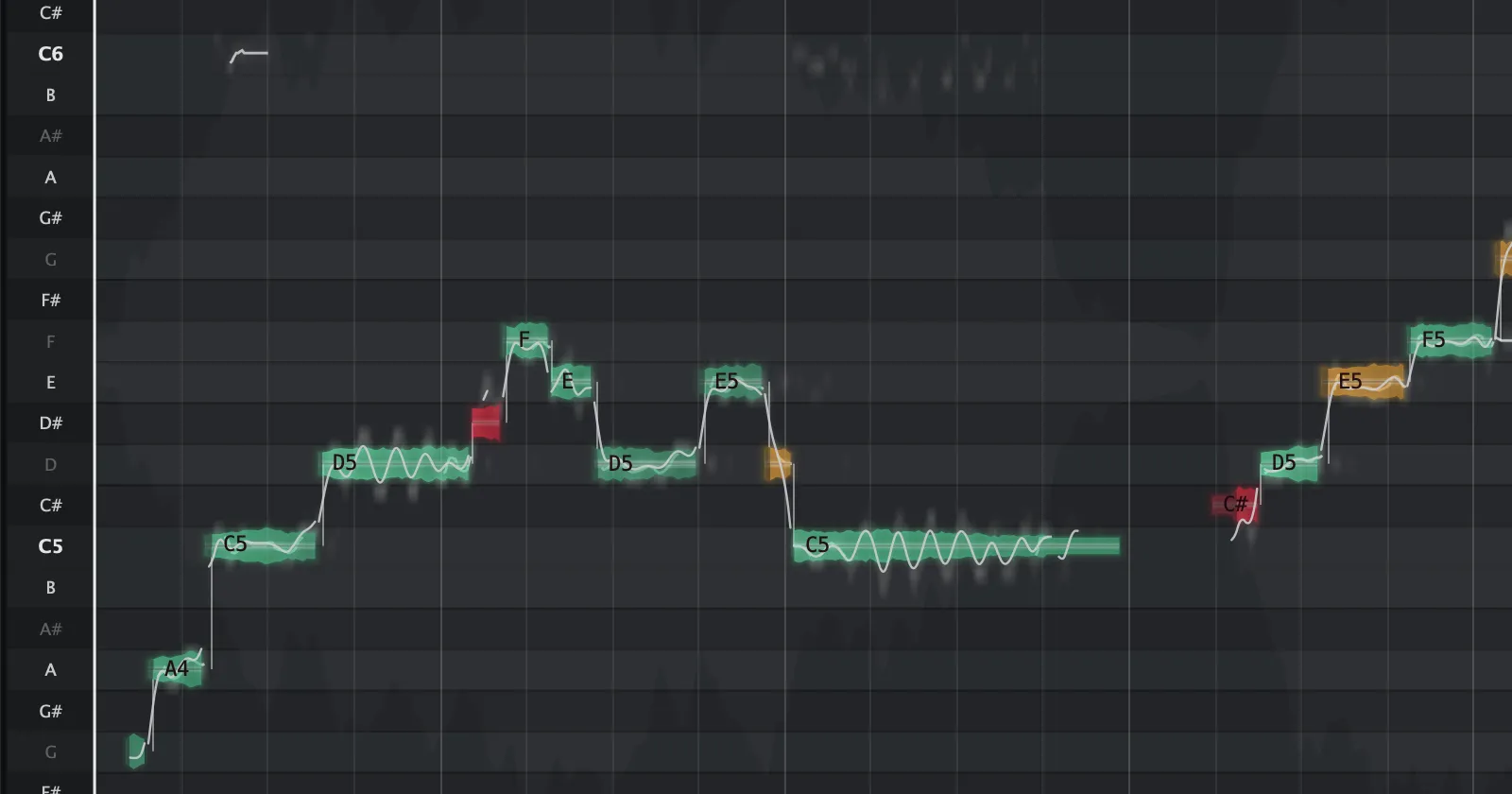
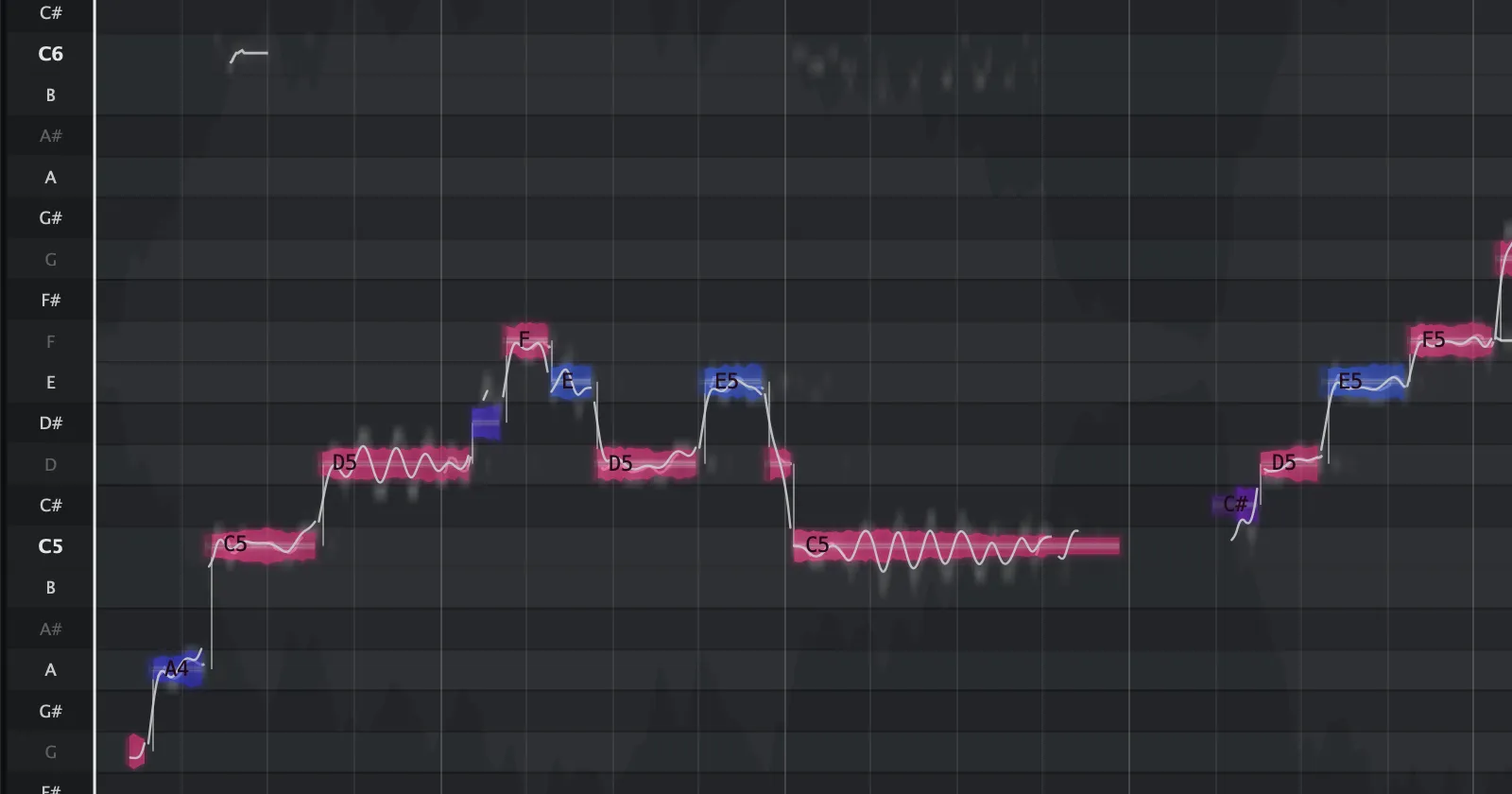
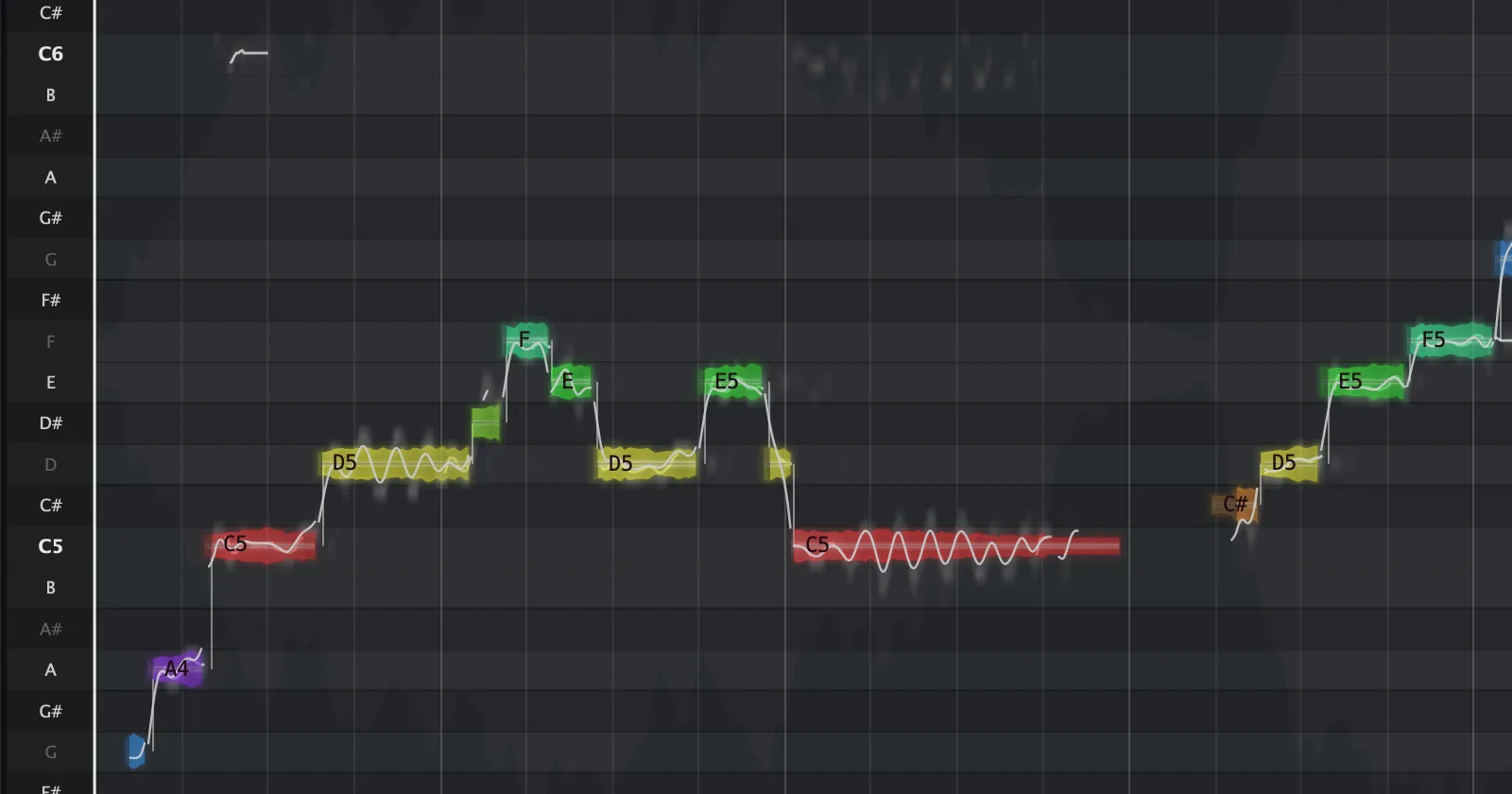
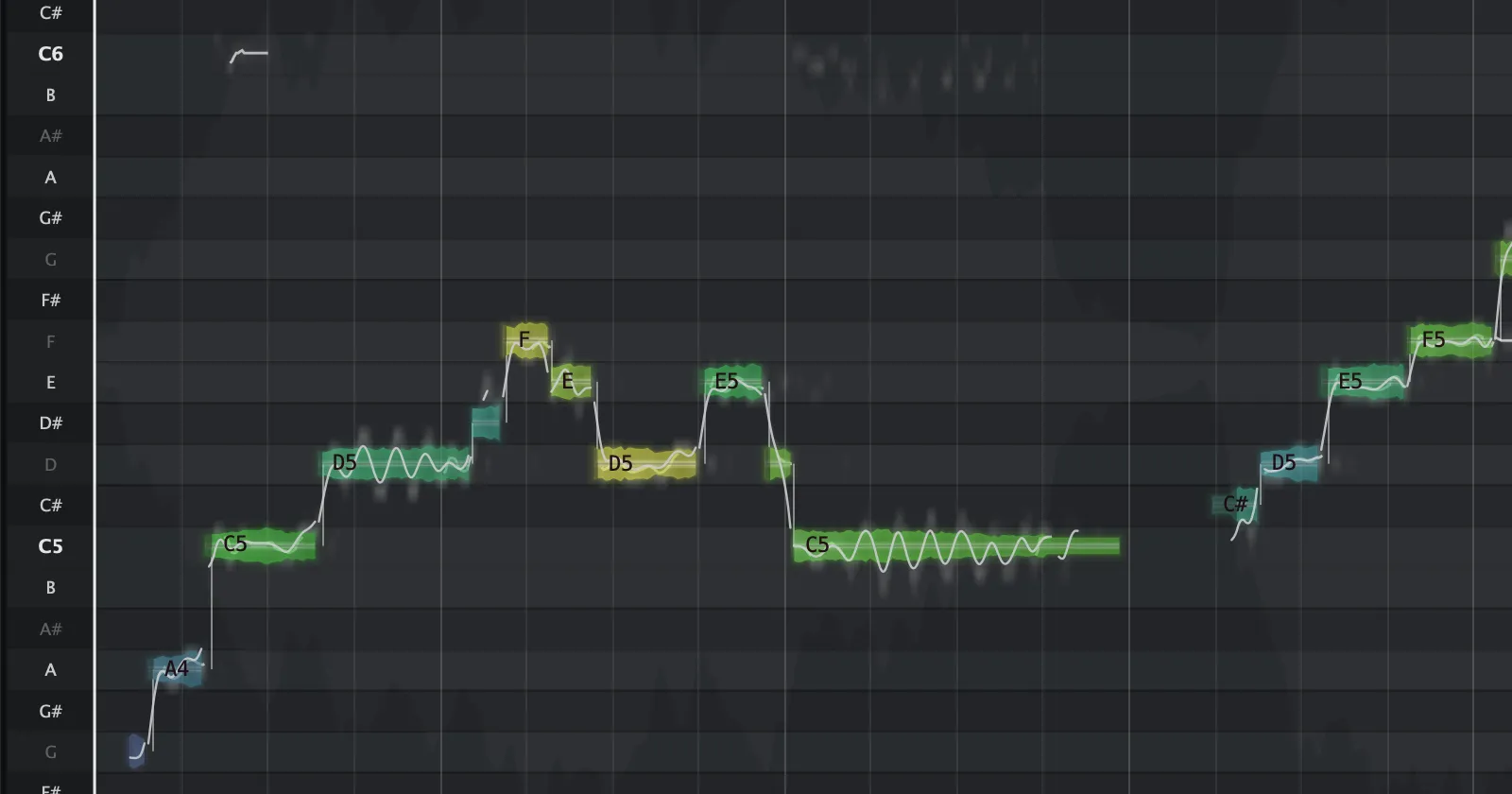
Note colours
See which notes are out.
Colour the notes by their tuning, green when a note is close to its pitch, then amber, then red, and see at a glance which ones need Correct. Or colour them by scale degree, by pitch class, or by how loud they were played.
Vibrato and drift
Shape the pitch inside a note.
Vibrato is the fast movement, drift the slow wander and the scoop in. Take either down to hold a note steady, or up to ten times as much, note by note, and straighten both in one click.
Fine pitch
Cents, not just semitones.
Nudge a note a few cents up or down to sit it exactly where you want it, one note or the whole selection at once.
Formant
Bigger, or brighter.
Move a note’s formant without moving its pitch: down sounds bigger and darker, up smaller and brighter.
Playback
See what you are hearing.
The notes under the playhead light up in their own colour, the louder ones brighter, so in a dense chord you can tell which note is which.
Many notes at once
One note, or the whole take.
Select any set of notes and change them together in one panel, then take it all back with one undo. Cut and join notes, and set how fast one note slides into the next.
Hear it on real takes.
Switch between the recording and the edit while it plays: only the moved notes change. Demo recordings generated with Google Flow Music.

Acoustic guitar
Major to minor: one note per chord moved down. The rest is the original take.
What you can change.
Pitch
Drag a note to a new pitch, a semitone at a time, and only that note moves. The rest of the chord stays where it was played.
Timing and length
Slide a note early or late, stretch it or cut it short. The attack keeps its shape.
Level
Bring one note up or tuck it under the others, by as much as 24 dB either way.
Correct Pitch
Choose the key and scale, then drag Amount from as sung to right on the note. Tolerance, speed and the A4 reference are yours.
Fine pitch and formant
Move a note by cents, and its formant on its own: down for bigger and darker, up for smaller and brighter.
Vibrato and drift
Flatten the vibrato or deepen it up to ten times, and hold a wandering note steady, note by note.
Glides
Add a slide into or out of a note, up to half a second and two semitones.
Split, glue, add, delete
Cut a note in two, join two into one, draw a new one, or take one out of the recording.
Pencil
Draw in the notes the analysis missed. They go into the MIDI and play on the synth exactly as drawn.
Everything has undo.
-
1
Touch a note
The first time you do, TONIQ offers 14 days of Pro. Say yes and the note is yours to move. Nothing is spent until then.
-
2
Edit the notes
Every note is its own shape on the roll. Change it and you hear the recording change.
-
3
Take it back
The edited take plays in your DAW through ARA 2, or drag it out as audio. The MIDI comes too.
Why it sounds natural.
Each note keeps its own attack, ring and vibrato. A moved guitar note still sounds like the same string, instead of a pitch-shifted copy.
The notes you leave alone play exactly as recorded. Turning a chord minor moves one note, not the whole take.
What you take back to the session.
The edited take
Drag it from TONIQ straight onto a track, or save it as a WAV. No bouncing first.
Every note on its own
Each note as its own audio file, separated from the chord it was in, or only the ones you selected.
MIDI, shaped your way
Set the detection, the vibrato and the quantize, keep the pitch bends of any take as plain MIDI or as MPE where notes overlap, and take a full mix out as one MIDI track per instrument.
Polyphonic note editing, for under a third of the price.
Editing single notes inside a chord used to mean an editor at around $399. TONIQ Pro does it for $129, once, and reads full mixes and drums too.
Buy TONIQ Pro ·- TONIQ Pro
$149$129- Similar editors
- ~$399
Typical US street price of the polyphonic tier of note editors in October 2026.
Free and Pro, side by side.
Audio to MIDI is free. Shaping the MIDI and editing notes inside the audio is Pro. One download.
| One plug-in, two tiers | TONIQ Free | TONIQ Pro |
|---|---|---|
| Best for | Turning recordings into MIDI | Shaping the MIDI, and editing the notes inside the audio |
| Audio to MIDI: polyphonic, full mix, melodic, vocal, drums | ● | ● |
| Every voice of every chord, with velocity | ● | ● |
| No length limit, no watermark, commercial use | ● | ● |
| ARA 2 in Pro Tools, Cubase, Nuendo, Studio One, REAPER | ● | ● |
| The editor: every note as its own shape, with the pitch drawn through it | ● | ● |
| Play the notes on the synth: piano, strings, guitars, basses, kit and more | ● | ● |
| A full mix split into drums, bass, vocals and the rest, as audio stems | ● | ● |
| MIDI export: one file with all the notes, drums and tempo | ● | ● |
| Vibrato and bends in the MIDI, as MPE where notes overlap | Vocal mode | ● |
| Detection settings: sensitivity, minimum length, note ends | — | ● |
| Quantize: grid and strength | — | ● |
| MIDI per instrument: a full mix as separate MIDI tracks | — | ● |
| Pencil: draw in the notes the analysis missed | — | ● |
| Change a note inside the audio: pitch, timing, length, level | — | ● |
| Vibrato: flatten, keep, double. Glides in and out | — | ● |
| Split, glue, add, delete notes in the recording | — | ● |
| The edited take plays on your DAW timeline through ARA 2 | — | ● |
| Each note out as its own audio file | — | ● |
| One download. Try Pro 14 days free, no card; then it goes back to free by itself. | Download free | Buy Pro · |